
Home
Spreadsheet Processing Services with (Un)Perplexed Spready and Perplexity AI
- Details
- Written by Super User
- Category: (Un)Perplexed Spready
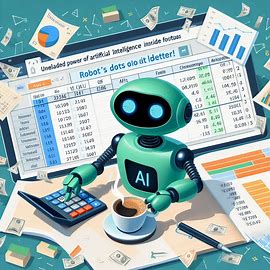
Spreadsheet Processing Services with (Un)Perplexed Spready and Perplexity AI
Transform Your Spreadsheet Workflows with AI-Powered Automation
At Matasoft, we bring the power of artificial intelligence to spreadsheet processing, offering unparalleled efficiency and precision. With our proprietary tool, (Un)Perplexed Spready, integrated with Perplexity AI, we specialize in automating complex spreadsheet tasks such as data extraction, categorization, annotation, and labeling. Powered by Perplexity AI’s advanced language models, our tool understands context, slang, and industry-specific terminology for precise results. Whether you're managing large datasets or need advanced text analysis, our services are designed to save you time and deliver high-quality results.
Stop drowning in data. Start driving decisions.


Our Services
1. Data Extraction
Effortlessly extract meaningful insights from your spreadsheet data:
-
Extract specific values from text-heavy cells.
-
Pull structured information from unstructured data fields.
-
Automate repetitive data extraction tasks across thousands of rows.
Example: Extract product details (e.g., color, size, price) from descriptions across 10,000 rows in under 8 hours.
2. Data Categorization
Organize your data into actionable categories with AI-driven precision:
-
Classify products or services based on attributes like price range, brand, or type.
-
Group survey responses into thematic categories for analysis.
-
Tag customer feedback by sentiment (positive/neutral/negative).
Example: Categorize 5,000 customer reviews into sentiment groups with >99% accuracy.
3. Data Annotation & Labeling
Prepare your datasets for machine learning or advanced analytics:
-
Annotate text data with tags for sentiment, topic, or intent.
-
Label spreadsheet cells for specific attributes like demographics or geography.
-
Create structured datasets from raw spreadsheet inputs.
Example: Annotate 2,000 rows of survey responses with demographic tags in just a few hours.
4. Custom Spreadsheet Solutions
Tailored solutions for unique spreadsheet challenges:
-
Automate repetitive tasks using AI-powered formulas.
-
Perform bulk transformations on large datasets (e.g., reformatting dates, cleaning text).
-
Integrate processed spreadsheets into your existing workflows (e.g., CRM systems).
Example: Automate the cleaning and standardization of 50,000 rows of customer data in a single day.

Why Choose Us?
Transparent Process
We keep you updated and tailor our approach to your specific business case.
Speed & Efficiency
Our AI-powered tool processes up to 1,500 cells per hour, making it up to 10x faster than manual data entry.
Accuracy & Consistency
With Perplexity AI integration, we achieve over 99% accuracy in data classification and extraction tasks.
Advanced AI
We are leveraging state-of-the-art language models for deep contextual understanding. Our "(Un)Perplexed Spready" tool is purpose-built for AI-driven spreadsheet tasks.
Scalability
From small projects to large-scale datasets (500K+ cells per day), our services scale effortlessly to meet your needs.
How It Works
-
Provide Your Spreadsheet: Share your file (Excel, Google Sheets, or CSV) along with specific instructions for processing. Describe your business case and what are your goals.
- Analysis and Piloting: We will design appropriate AI-driven spreadsheet formulas to accomplish desired result and present you preliminary results on a small sample.
-
AI-Powered Processing: After getting satisfactory pilot results, we will processes your full dataset, using AI-driven formulas with Perplexity AI models tailored to your task requirements.
-
Delivery: Receive your processed spreadsheet within the agreed timeframe in your preferred format.
Pricing & Packages
We offer flexible pricing based on the complexity and volume of your project:
|
Package |
Cells Processed |
Turnaround Time |
Price |
Price per one calculated cell |
|
Basic (Starter) |
Up to 1,000 Calculated Cells |
1 day |
$60 |
$0.06 |
|
Standard |
Up to 10,000 Calculated Cells |
2 days |
$500 |
$0.05 |
|
Premium (Advanced) |
Up to 100,000 Calculated Cells (and above) |
5 days |
$4,000 |
$0.04 |
Above prices are applicable for regular modest AI-driven formulas. If a formula includes very big lookup list (such as a large product categorization taxonomy list), price might be increased due to costs of tokens utilized.
For projects exceeding 100,000 calculated cells or requiring custom solutions, contact us for a tailored quote.
Use Cases
Some of the typical business use cases:
E-Commerce Businesses
-
Categorize thousands of products by attributes like product category, size, color or material.
-
Analyze customer reviews to identify trends and improve offerings.
Healthcare Providers
-
Organize patient records into structured formats for research.
-
Extract key metrics from lab result spreadsheets.
Financial Services
-
Automate invoice processing by extracting vendor names and amounts.
-
Perform risk assessments by categorizing transaction data.
Marketing & Sales
- Analyze survey data, clean and standardize customer lists
Research & Academia
- Process large datasets for analysis and publication
Why Automate Spreadsheet Processing?
Manual spreadsheet work is time-consuming and prone to errors. By leveraging AI-powered automation with (Un)Perplexed Spready and Perplexity AI:
-
Save up to 80% of processing time compared to manual methods. (Un)Perplexed Spready running your spreadsheet calculation does not faint or get tired, it can work day and night, without need to sleep.
-
Reduce errors by over 85%, ensuring consistent results across large datasets. By using same AI-driven formulas across the spreadsheet, you will get consistent results across all rows. (Un)Perplexed Spready running your spreadsheet calculation does not get distracted or bored while working, neither looses concentration.
-
Focus on decision-making rather than tedious data entry tasks. Manual data entry is time-consuming and error-prone, data entry and categorization tasks become extremely boring and tedious for large datasets. Our AI ensures consistency and frees your team for strategic tasks. Let Artificial Intelligence do the tedious job, while you are drinking your coffee and thinking about your business strategy!
What Sets Us Apart?
Unlike traditional manual processing or basic automation tools, our service combines:
-
Advanced AI Models: Powered by Perplexity AI’s state-of-the-art language models for contextual understanding of text-based data.
-
Custom-Built Tool: "(Un)Perplexed Spready" is specifically designed for efficient spreadsheet processing with AI-powered formulas.
-
Expertise in Data Handling: Years of experience in managing complex datasets ensure high-quality results.
-
Transparent Workflow: We provide regular updates on project progress and tailor approach according to your specific business case.
Get Started Today!
Ready to automate your spreadsheet tasks? Take the first step towards effortless data processing:
- Visit our Fiverr Gig: Order on Fiverr
- Explore our Upwork Project: Hire on Upwork
Contact
Be free to contact us with your business case and ask for our free analysis and consultancy, prior ordering our fuzzy data matching services.

Matasoft – Revolutionizing Spreadsheet Processing with Artificial Intelligence.
Our Fuzzy Data Matching Services
Besides AI-driven spreadsheet processing, we are also offering fuzzy data matching services.
If you need entity resolution, fuzzy data matching, de-duplication or cleansing of your datasets, you can heck-out our data matching service here: Data Matching Service
Further Reading
Introduction to (Un)Perplexed Spready
Download (Un)Perplexed Spready
Purchase License for (Un)Perplexed Spready
(Un)Perplexed Spready: When Spreadsheets Finally Learn to Think
- Details
- Written by Super User
- Category: (Un)Perplexed Spready

(Un)Perplexed Spready: The AI - Powered Spreadsheet Revolution
Have you ever found yourself despairing in tedious job of extracting information from some huge, big, boring spreadsheet... thinking how nice it would be if you had somebody else to do it for you? Cursing your life, while trying to make some sense from unstructured, messy data? Snail's pace going through the rows of the table, wondering whether you will finish it before the end of universe, or you will continue the job even in the black hole over the horizon of space-time?
Yes, we know that feeling. Sometimes there is just no spreadsheet function, no formula to do the job automatically, there is no automated way of extracting useful information from a messy dataset...only human can do it, manually. Row by row, until it is done. No machine can understand the meaning of unorganized textual data, no spreadsheet formula can help you managing such data...no machine...wait!
Is that really true anymore? I mean, today, in the age when we are witnessing rising of the Artificial Intelligence everywhere? I mean, would you go around the world by foot or by plane? Would you till the land by hand or by tractor? Would you ride a horse or drive a car, to visit your mother far away?
No, my friends, there is no reason to despair anymore, there is no reason to do the hard, tedious job of manual data extraction and categorization in spreadsheets, today when we have advanced AI (Artificial Intelligence) models available. But how? How can you make that funny clever AI chat-bot to do something useful instead of babbling nonsense?
Well, let us present you a solution - the (UN)PERPLEXED SPREADY, a spreadsheet software whispering to Artificial Intelligence, freeing you from hardship of manual spreadsheet work!
Enjoy your life and drink your coffee, while the AI is working for you! It was time, after all, don't you think you deserve it?

Harness the power of advanced language models (LLM) directly within your spreadsheets!
Imagine opening your favorite spreadsheet and having the power of cutting-edge AI models at your fingertips—right inside your cells. (Un)Perplexed Spready is not your average spreadsheet software. It’s a next-generation tool that integrates state-of-the-art language models into its custom formulas, letting you perform advanced data analysis, generate insights, and even craft intelligent responses, all while you go about your daily work (...or just drink your coffee).
This isn’t sci-fi. This is (Un)Perplexed Spready—the spreadsheet software that laughs at the limits of Excel, Google Sheets, or anything you’ve used before.
“But How Is This Even Possible?”
Meet Your New AI Co-Pilots:
-
PERPLEXITY functions: Tap into commercial-grade AI (Perplexity.ai) for market analysis, real-time data synthesis, or competitive intelligence.
-
ASK_LOCAL formulas: Run free, private AI models (via Ollama) directly on your machine. Mistral, DeepSeek, Llama2—your choice. Crunch data offline, no API fees, no delays.
-
ASK_REMOTE (demo mode): Test ideas on our server-
What Makes (Un)Perplexed Spready Unique?
Direct AI models Integration:
At the heart of (Un)Perplexed Spready is its innovative support for custom functions such as:
-
PERPLEXITY: Call top-tier commercial AI directly (via Perplexity AI’s API)
-
ASK_LOCAL: Query locally installed AI models through the Ollama platform
-
ASK_REMOTE: Access remotely hosted AI model for on-the-fly analysis
With these functions, you can simply enter a formula like:
=PERPLEXITY1(A2, "What is the category of this product? Choose between following categories: meat, fruits, vegetables, bakery, dairy, others.")
or
=ASK_LOCAL1(A2, "From product description extract the product measure (mass, volume, size etc.) and express it in S.I. units")
or
=ASK_REMOTE1(A2, "What is aggregate phase of the product (solid, liquid, gas)?")
or
=ASK_LOCAL2(A2, B2, "Are two products having same color?")
or
=ASK_LOCAL2(A2, B2, "In what kind of packaging container is the product packed? Example of containers are: box, bottle, pouch, can, canister, bag, etc.")
or
=PERPLEXITY2(A2, B2, "What are common characteristics of the two products?")
or
=PERPLEXITY(A2, B2, C2, "How can we achieve Input1 from Input2, by utilizing Input3?")
or
=ASK_LOCAL3(C2, D2, E2,"Classify Input1 and Input2 by Input3.")
— and see powerful AI-generated output appear instantly in your spreadsheet!

Seamless Experience:
(Un)Perplexed Spready is designed with both beginners and advanced users in mind. Its user-friendly interface incorporates familiar spreadsheet features—such as cell formatting, copy/paste, auto-updating row heights, and advanced sorting—as well as innovative AI integration that brings a new level of interactivity. Every calculation, from basic arithmetic to AI-driven natural language queries, is processed swiftly and accurately.
Advanced Business Scenarios
Only your imagination is limit when considering possible use cases. By using Perplexity AI, you can facilitate on-line search capabilities and embed it inside your spreadsheet formula.
Look this advanced formula as an example:
=PERPLEXITY3(A2,C2,D2,"By using A breakdown of the 12 award categories being defined on the web page: https://awards.retailgazette.co.uk/award-categories/ (namely: 'Best Retailer Over £500m', 'Best Retailer Under £500m', 'Own Brand Game Changer', 'Ecommerce Game Changer', 'Marketing Game Changer', 'Sustainability Game Changer', 'Workplace Game Changer', 'Game Changing Team', 'Grocery Game Changer', 'Fashion Game Changer', 'New Store Game Changer', 'Supply Chain Game Changer') label the company provided in the Input1 with with the category (only 1 of the 12 categories) they’re most likely to sponsor, based on the product/service the company offers. In order to determine the company product/service offer, investigate company web page provided as Input2 and Linkedin company page being provided as Input3. Then compare the product/service the company offers and determine the most suitable award category as final result.")
Result is amazing:
Similarly, we can find industry domains for list of companies, by entering following formula:
=PERPLEXITY3(A2,C2,D2,"For the company provided as Input1 determine the product/service offered, by investigating company web page provided as Input2 and Linkedin company page being provided as Input3. If needed, search Internet for additional information to determine exact industry the company operates within. Return the label of industry in which the company operates within, as final result.")
Free and paid features
Basic spreadsheet functionality is completely free, but utilizing advanced AI-driven functions require purchasing and activation of commercial license, for a small fee.
Intelligent Licensing for Premium Features:
Only the premium AI-driven functions require a commercial license. This means while all basic spreadsheet features remain free, access to advanced AI-driven formulas like PERPLEXITY, ASK_LOCAL and ASK_REMOTE require purchasing commercial license.
When you launch (Un)Perplexed Spready, your license status is automatically verified—updating the main interface with clear feedback. For example, if your license is active, you’ll see “License: VALID” and a detailed status report; if not, you’ll be notified immediately that the premium features are locked. But, you will be able to use the program as a regular free spreadsheet software. Once you need advanced AI formulas, then you can purchase a license, for a price of two beers a month.
Once the license is validated, you can start using AI-powered functions in your formulas. Whether you’re analyzing large datasets or crafting creative reports.
Value Proposition and Business Use Cases
You can find more ind-depth analysis of what are the potential use cases and what is the benefit (Un)Perplexed Spready in following articles:
How It Works
Install or Integrate Advanced Artificial Intelligence (AI) LLM models into your spreadsheet
"(Un)Perplexed Spready" is a peculiar spreadsheet software introducing possibility to utilize advanced LLM AI models directly inside custom formulas. Isn't that cool?Imagine that - powerful AI models doing something useful for change, not only entartaining you in chat! We say: yeah, let AI do the hard work, while you drink your coffee and enjoy your life!
Currently, the following AI platforms are available via API:
1. Perplexity AI (https://www.perplexity.ai/) - a well known major commercial AI provider

2. Remotely hosted free Ollama based AI model (hosted on our server)
Currently we run Mistral:7b on our own server.

3. Locally installed free AI models (available by Ollama platform on https://ollama.com/)


Of the three options, most exciting option is the third one, which enables you to install any model available on Ollama platform (https://ollama.com/), run it on your local computer and immediately have it available to use it inside spreadsheets, by utilizing our (Un)Perplexed Spready software!
Isn't that cool? Oh, yes it is! The only limit is your HW. Fortunately, these days, Ollama provides models such as Mistral 7b, DeepScaler:1.5b, DeepSeek-1:7b and LLama2, which can run even on low-spec hardware, such as oldish office laptop. Choose from multitude of available models here: https://ollama.com/search

Find more detailed recommendations for choosing appropriate LLM model for low-spec office laptops here: Leveraging AI on Low-Spec Computers: A Guide to Ollama Models for (Un)Perplexed Spready
Embed Advanced Artificial Intelligence (AI) LLM models into your spreadsheet formulas
(Un)Perplexed Spready provides three corresponding set of formulas for these three AI options, in three variants differing in number of cell ranges input parameters, i.e. number of inputs for AI prompt.
1. Functions working with Perplexity AI
=PERPLEXITY1 (A2, "Some instruction to AI...")
=PERPLEXITY2 (A2, B2, "Some instruction to AI...")
=PERPLEXITY3 (A2, B2, C2, "Some instruction to AI...")
2. Functions working with locally installed AI model (by using Ollama platform)
=ASK_LOCAL1 (A2, "Some instruction to AI...")
=ASK_LOCAL2 (A2, B2, "Some instruction to AI...")
=ASK_LOCAL3 (A2, B2, C2, "Some instruction to AI...")
3. Functions working with remotelly hosted AI model (hosted on our server)
=ASK_REMOTE1 (A2, "Some instruction to AI...")
=ASK_REMOTE2 (A2, B2, "Some instruction to AI...")
=ASK_REMOTE3 (A2, B2, C2, "Some instruction to AI...")
Notice: Option 3 with AI model hosted on our server is at this stage intended only for demo and testing purposes, not for real production exploitation.
The hosting server has low hardware specifications, thus calculation is very slow.
We recommend you to install your own free AI model available on Ollama platform, according to your HW specs. This option will provide you highest flexibility and lowest costs. Of course, if you wish to have enterprise level accuracy of calculation, then choose Perplexity AI for superb speed and high quality of AI-driven answers.
Why Choose (Un)Perplexed Spready?
-
Revolutionary Integration: Get the best of spreadsheets and AI combined, all in one intuitive interface.
-
Market-Leading Flexibility: Choose between Perplexity AI and locally installed LLM models, or even our remote free model hosted on our server—whichever suits your needs.
-
User-Centric Design: With familiar spreadsheet features seamlessly merged with AI capabilities, your productivity is bound to soar.
-
It's powerful - only your imagination and HW specs are limits to what can you do with the help of AI! If data is new gold, then the (Un)Perplexed Spready is your miner!
- It's fun - sure it is fun, when you are drinking coffee and scrolling news, while AI is doing the hard job. Drink your coffee and let the AI works for you!

Get Started!
Join the revolution today. Let (Un)Perplexed Spready free you from manual data crunching and unlock the full potential of AI—right inside your spreadsheet. Whether you're a business analyst, a researcher, or just an enthusiast, our powerful integration will change the way you work with data.
You can find more practical information on how to setup and use the (Un)Perplexed Spready software here: Using (Un)Perplexed Spready
Download
Download the (Un)Perplexed Spready software: Download (Un)Perplexed Spready
Request Free Evaluation Period
When you run the application, you will be presented with the About form, where you will find automatically generated Machine Code for your computer. Send us an email with specifying your machine code and ask for a trial license. We will send you trial license key, that will unlock the premium AI functions for a limited time period.
Contact us on following email:
Sales Contact
Purchase commercial license
For a price of two beers a month, you can have a faithful co-worker, that is, the AI-whispering spreadsheet software, to work the hard job, while you drink your coffee!.
You can purchase the commercial license here: Purchase License for (Un)Perplexed Spready

AI-driven Spreadsheet Processing Services
We are also offering AI-driven spreadsheet processing services with (Un)Perplexed Spready software.
If you need massive data extraction, data categorization, data classification, data annotation or data labeling, check-out our corresponding services here: AI-driven Spreadsheet Processing Services

Further Reading
Download (Un)Perplexed Spready
Purchase License for (Un)Perplexed Spready
Leveraging AI on Low-Spec Computers: A Guide to Ollama Models for (Un)Perplexed Spready
(Un)Perplexed Spready: Transforming Data Management with AI-Powered Spreadsheet Formulas
- Details
- Written by Super User
- Category: (Un)Perplexed Spready
(Un)Perplexed Spready: Transforming Data Management with AI-Powered Spreadsheet Formulas
In today's data-driven business landscape, professionals across industries face a common challenge: extracting meaningful insights from increasingly complex and unstructured datasets. Traditional spreadsheet tools, while powerful for numerical calculations, often fall short when confronted with the messy reality of real-world data. Enter (Un)Perplexed Spready, an innovative spreadsheet solution that seamlessly integrates advanced AI capabilities directly into familiar spreadsheet formulas, fundamentally changing how we interact with and derive value from our data.
The Evolution of Spreadsheet Technology
Spreadsheets have been the backbone of business data management for decades. From VisiCalc to Lotus 1-2-3 to Microsoft Excel and Google Sheets, these tools have evolved to include increasingly sophisticated calculation capabilities. However, they've remained fundamentally limited by their reliance on structured data and explicit programming logic.
Traditional spreadsheet formulas excel at mathematical operations and predefined logical functions, but struggle with tasks that require contextual understanding, semantic interpretation, or handling of unstructured text. This limitation creates a significant productivity bottleneck, particularly when dealing with:
- Product descriptions containing embedded specifications
- Customer feedback requiring sentiment analysis
- Unstructured notes containing actionable information
- Inconsistently formatted data requiring standardization
- Complex categorization tasks requiring contextual understanding
These challenges typically force professionals to spend countless hours on manual data processing—time that could be better spent on strategic thinking, creative problem-solving, or simply enjoying a better work-life balance.
How (Un)Perplexed Spready Bridges the Gap
(Un)Perplexed Spready represents a paradigm shift in spreadsheet functionality by embedding advanced AI language models directly into spreadsheet formulas. This integration allows users to leverage the contextual understanding and semantic processing capabilities of large language models (LLMs) without leaving the familiar spreadsheet environment.
The Power of AI-Enhanced Formulas
At its core, (Un)Perplexed Spready introduces three families of AI-powered functions:
- PERPLEXITY Functions: Connect to commercial-grade AI via Perplexity.ai's API for high-quality, enterprise-level analysis
- ASK_LOCAL Functions: Utilize locally installed open-source AI models through Ollama for privacy-sensitive operations and offline work
- ASK_REMOTE Functions: Access remotely hosted model for testing and demonstration purposes
Each function family comes in three variants, supporting one, two, or three input parameters, allowing for increasingly complex data operations:
=PERPLEXITY1(A2, "Extract the weight from this product description and convert to kilograms")
=ASK_LOCAL2(B5, C5, "Compare these customer comments and identify common concerns")
=PERPLEXITY3(D2, E2, F2, "Using Input1 as context, determine if Input2 contradicts Input3")
This approach maintains the familiar formula-based interface while dramatically expanding the range of possible operations, particularly for tasks involving unstructured text and contextual analysis.
Real-World Applications: Beyond Traditional Spreadsheet Capabilities
The true value of (Un)Perplexed Spready becomes apparent when examining specific use cases where traditional spreadsheets fall short:
Intelligent Data Extraction
Consider a dataset containing product descriptions like "Premium Widget XL, 750ml, eco-friendly packaging, $29.99, blue." Traditional spreadsheets would require complex nested functions or regular expressions to extract specific elements, with each variation requiring custom handling.
With (Un)Perplexed Spready, a simple formula handles this elegantly:
=ASK_LOCAL1(A2, "Extract the volume and convert to liters")
The result—"0.75 L"—appears instantly, with the AI understanding the context and performing the necessary conversion. This same approach works across thousands of varied descriptions without modification.
Contextual Categorization
Categorizing products, customer feedback, or support tickets traditionally requires either manual review or rigid rule-based systems that struggle with nuance and exceptions.
(Un)Perplexed Spready transforms this process:
=PERPLEXITY1(A2, "Categorize this product as electronics, apparel, home goods, or other")
The AI understands context and nuance, correctly categorizing items based on their descriptions rather than just matching keywords. This capability extends to sentiment analysis, priority assessment, and other subjective classification tasks that typically require human judgment.
Comparative Analysis
Comparing items or identifying relationships between data points often requires multiple steps and complex logic in traditional spreadsheets.
(Un)Perplexed Spready simplifies this dramatically:
=ASK_LOCAL2(A2, B2, "Identify the key differences in features between these two products")
This single formula replaces what might otherwise require multiple helper columns and complex comparison logic, providing a clear, human-readable analysis of the differences.
Data Standardization
Inconsistent units, formats, and terminology create significant challenges for data analysis. Traditional approaches require extensive preprocessing and standardization.
With (Un)Perplexed Spready, standardization becomes straightforward:
=ASK_LOCAL1(A2, "Convert this measurement to standard SI units")
This works across diverse inputs like "2.5 pounds," "16 oz," or "1.1 kg," consistently returning standardized values like "1.13 kg," "0.45 kg," or "1.1 kg" respectively.
Balancing Flexibility and Control
(Un)Perplexed Spready offers a thoughtful approach to AI integration that addresses common concerns about cost, privacy, and performance:
Multiple AI Integration Options
The software provides three distinct pathways for AI integration:
- Commercial API Integration: For users requiring enterprise-grade performance and accuracy, the PERPLEXITY functions connect to Perplexity.ai's commercial API, offering high-quality results with appropriate rate limiting based on subscription tier.
- Local Model Execution: For privacy-sensitive applications or offline work, the ASK_LOCAL functions utilize locally installed open-source models through Ollama, keeping data entirely on the user's device.
- Remote Demo Access: For testing or occasional use, the ASK_REMOTE functions connect to a free Mistral 7B instance hosted on the developer's server.
This flexibility allows users to choose the appropriate balance of performance, privacy, and cost for their specific needs.
Deferred Calculation for Performance Optimization
Recognizing that AI-powered calculations require more resources than traditional formulas, (Un)Perplexed Spready implements a deferred calculation mechanism. Rather than automatically calculating all AI formulas (which could freeze the interface during large operations), users can:
- Recalculate individual cells to test formulas
- Recalculate selected ranges to process specific sections
- Recalculate the entire sheet when ready for full processing
This approach ensures the interface remains responsive while still providing the full power of AI-enhanced formulas.
The Human-AI Partnership: Working Smarter, Not Harder
The fundamental promise of (Un)Perplexed Spready isn't just technical innovation—it's a vision for a more productive and fulfilling relationship between humans and technology. By delegating tedious, repetitive data tasks to AI, professionals can focus on higher-value activities that truly require human creativity, judgment, and strategic thinking.
Consider a typical scenario: A marketing analyst receives a dataset containing thousands of customer comments about a new product. With traditional tools, they might spend days manually categorizing feedback, extracting key themes, and standardizing formats before even beginning the actual analysis.
With (Un)Perplexed Spready, the same analyst could:
- Use AI formulas to automatically categorize comments by sentiment and topic
- Extract specific product features mentioned across thousands of comments
- Identify common themes and concerns without manual review
- Focus their human expertise on interpreting the results and developing strategic recommendations
The result isn't just greater efficiency—it's a fundamental shift in how professionals spend their time, moving from mechanical data processing to creative problem-solving and strategic thinking.
As the developers at Matasoft put it: "Enjoy your life and drink your coffee, while the AI is working for you!" This isn't about replacing human work—it's about enhancing it, allowing professionals to reclaim time for the aspects of their jobs that truly require human intelligence and creativity.
Practical Implementation and Accessibility
(Un)Perplexed Spready balances sophisticated AI capabilities with practical accessibility:
Familiar Interface with Enhanced Capabilities
The software maintains the familiar grid-based spreadsheet interface while adding AI capabilities through formula syntax that will be immediately familiar to spreadsheet users. This approach minimizes the learning curve while maximizing productivity gains.
Flexible Licensing Model
Basic spreadsheet functionality is available for free, with AI-powered functions requiring a commercial license described as costing "the price of two beers a month." This approach makes the technology accessible while supporting ongoing development.
Hardware Flexibility
For users choosing the local AI option, (Un)Perplexed Spready supports a range of models through Ollama, including lighter options like DeepSeek-1:7b that can run on modest hardware. This ensures accessibility across different technical environments.
Limitations and Considerations
While (Un)Perplexed Spready represents a significant advancement in spreadsheet technology, it's important to acknowledge certain limitations and considerations:
Processing Speed Trade-offs
AI-powered formulas inherently require more processing time than traditional spreadsheet functions. The deferred calculation model helps manage this, but users should be aware that complex AI operations won't deliver results as instantaneously as simple mathematical formulas.
Model Limitations
The quality of results depends partly on the underlying AI models. Local models may not match the capabilities of commercial APIs, particularly for specialized domains or complex reasoning tasks. Users should choose the appropriate model for their specific needs.
Learning Curve for Effective Prompting
While the formula syntax is familiar, crafting effective prompts for AI models requires some practice. Users will need to experiment with different phrasings to achieve optimal results for complex tasks.
The Future of Intelligent Data Processing
(Un)Perplexed Spready represents an early example of a broader trend toward embedding AI capabilities directly into everyday productivity tools. Rather than requiring users to switch between specialized AI applications and traditional tools, this approach brings AI capabilities directly to where the work happens.
As language models continue to advance and computing resources become more efficient, we can expect these capabilities to become increasingly powerful and accessible. The future of data processing isn't about choosing between human intelligence and artificial intelligence—it's about creating thoughtful integrations that leverage the strengths of both.
Conclusion: Transforming Data Work Through AI Integration
(Un)Perplexed Spready represents a significant step forward in spreadsheet technology, addressing longstanding limitations through thoughtful AI integration. By embedding advanced language models directly into spreadsheet formulas, it enables professionals to:
- Extract structured information from unstructured text
- Categorize and analyze data with contextual understanding
- Compare and relate information across different inputs
- Standardize inconsistent data formats and units
Most importantly, it shifts the balance of work from tedious data processing toward meaningful analysis and creative problem-solving. In a world increasingly defined by data, tools like (Un)Perplexed Spready don't just improve efficiency—they fundamentally change how we work with information, allowing humans to focus on the aspects of data work that truly require human intelligence.
As we navigate the evolving relationship between human and artificial intelligence, (Un)Perplexed Spready offers a compelling vision: not of AI replacing human work, but of AI enhancing human capabilities, freeing us from digital drudgery to focus on the creative, strategic, and uniquely human aspects of our professional lives.
To explore (Un)Perplexed Spready and experience the future of AI-enhanced spreadsheets firsthand, visit https://matasoft.hr/qtrendcontrol/index.php/un-perplexed-spready.
Get Started!
Join the revolution today. Let (Un)Perplexed Spready free you from manual data crunching and unlock the full potential of AI—right inside your spreadsheet. Whether you're a business analyst, a researcher, or just an enthusiast, our powerful integration will change the way you work with data.
You can find more practical information on how to setup and use the (Un)Perplexed Spready software here: Using (Un)Perplexed Spready
Download
Download the (Un)Perplexed Spready software: Download (Un)Perplexed Spready
Request Free Evaluation Period
When you run the application, you will be presented with the About form, where you will find automatically generated Machine Code for your computer. Send us an email with specifying your machine code and ask for a trial license. We will send you trial license key, that will unlock the premium AI functions for a limited time period.
Contact us on following email:
Sales Contact
Purchase commercial license
For a price of two beers a month, you can have a faithful co-worker, that is, the AI-whispering spreadsheet software, to work the hard job, while you drink your coffee!.
You can purchase the commercial license here: Purchase License for (Un)Perplexed Spready
AI-driven Spreadsheet Processing Services
We are also offering AI-driven spreadsheet processing services with (Un)Perplexed Spready software.
If you need massive data extraction, data categorization, data classification, data annotation or data labeling, check-out our corresponding services here: AI-driven Spreadsheet Processing Services
Further Reading
Download (Un)Perplexed Spready
Purchase License for (Un)Perplexed Spready
From Spreadsheet Nightmares to Data Dreams: How (Un)Perplexed Spready Rewrites the Rules
- Details
- Written by Super User
- Category: (Un)Perplexed Spready
From Spreadsheet Nightmares to Data Dreams: How (Un)Perplexed Spready Rewrites the Rules
It’s 3 p.m. on a Thursday, and you’re staring at a spreadsheet that feels like a puzzle with no solution. Rows of jumbled text – product descriptions, prices, random units – mock you from the screen. You’ve got a deadline looming, but instead of strategizing, you’re neck-deep in VLOOKUPs, manually copying data, and praying your formulas don’t break. Sound familiar? At Matasoft.hr, we’ve been there too – and we decided it’s time for a change. Enter (Un)Perplexed Spready, the AI-powered spreadsheet software that turns data nightmares into dreams of efficiency and insight.
This isn’t just a tool – it’s a revolution. Built with cutting-edge AI language models (LLM), (Un)Perplexed Spready doesn’t ask you to wrestle with your data; it steps in to do the hard work for you. From chaos to clarity, from frustration to focus, it’s here to rewrite the story of how we manage data – and hand you the pen.
The Old Way: A Tale of Time Lost
Picture this: a small business owner, Ana, runs a growing online store. She gets a CSV dump from a supplier – 500 rows of products, each a tangle of text like “Super Gadget, 2.3 kg, $59, matte black.” She needs sizes, prices, and categories sorted by tomorrow’s meeting. In Excel, it’s a marathon – hours of splitting cells, writing formulas, and double-checking errors. By the time she’s done, the day’s gone, and she’s too drained to plan her next move.
That’s the old way. It’s a story repeated daily across offices, homes, and industries – a quiet crisis of wasted potential. Traditional spreadsheets are like loyal but outdated friends: they try their best, but they’re not equipped for the messiness of modern data. At Matasoft, we knew there had to be a better chapter.
The New Way: AI as Your Co-Author
Now imagine Ana with (Un)Perplexed Spready. She opens the same file, types =ASK_LOCAL1(A2, "Extract the weight and convert it to pounds") and gets “5.07 lbs” instantly. She follows with =PERPLEXITY1(A2, "Is this electronics, home goods, or apparel?") and sees “electronics” pop up like magic. Curious about trends, she adds =ASK_LOCAL2(A2, B2, "What’s the common selling point here?") and discovers both items tout “durability.” In 15 minutes, her data’s organized, categorized, and ready to shine – leaving her free to strategize instead of slog.
That’s the new way. (Un)Perplexed Spready doesn’t just tweak the edges of spreadsheet life – it reimagines the core, embedding AI that understands your intent and delivers results with human-like smarts. Here’s how it rewrites the rules:
• Data Extraction Without the Drama
No more dissecting text by hand. A command like =ASK_LOCAL1(A2, "Pull the price and convert it to EUR") turns a tangled cell into clean, usable info – fast and flawless.
• Categorization That Clicks
Sorting feels effortless with =PERPLEXITY1(A2, "Does this fit under food, drink, or snacks?"). AI grasps context, not just keywords, making sense of the toughest datasets.
• Insights That Inspire
Dig deeper with =ASK_LOCAL2(A2, B2, "Are these items aimed at the same audience?") or =ASK_LOCAL2(A2, B2, "Which is more eco-friendly?"). It’s like having a data analyst in every cell.
• Standardization, Simplified
Units all over the place? Type =ASK_LOCAL1(A2, "Convert this length to meters") and watch AI unify your numbers without a fuss.
This isn’t about bells and whistles – it’s about giving you back control over your time and your data.
A Cast of Characters: Who’s This For?
(Un)Perplexed Spready isn’t a niche player – it’s a hero for anyone who touches data. Here’s how it stars in different stories:
• The Entrepreneur: A startup founder turns raw sales figures into growth plans, extracting key metrics and spotting patterns in minutes.
• The Marketer: A campaign manager categorizes feedback, compares ad performance, and pulls insights – all before lunch.
• The Educator: A teacher organizes student data, standardizes grades, and analyzes progress without losing nights to prep.
• The Logistics Pro: A supply chain expert converts global shipment stats, categorizes cargo, and flags delays with ease.
• You: Whatever your role, if data’s part of your plot, (Un)Perplexed Spready writes a happier ending.
The Plot Twist: Time Becomes Yours Again
The real victory isn’t just cleaner data – it’s what happens next. With (Un)Perplexed Spready, the hours once lost to tedium become yours to reclaim. For Ana, it’s time to dream up new products. For a manager, it’s space to rally the team. For a freelancer, it’s an evening off instead of another late night.
AI isn’t here to dazzle with sci-fi flair – it’s here to lift the weight so you can soar. At Matasoft, we’ve harnessed that power to create a tool that’s as practical as it is profound, blending advanced tech with the spreadsheet simplicity you already know.
Matasoft Crafting the Next Chapter
Matasoft isn’t just coding software – we’re crafting stories of change. (Un)Perplexed Spready is our latest tale, born from a passion to solve real problems and a vision to push productivity forward. We’ve walked the path of spreadsheet struggles, and we’ve paved a way out – not with hype, but with heart and ingenuity.
Write Your Own Ending
Your data has a story to tell – don’t let it stay buried in frustration. With (Un)Perplexed Spready, you’re not just managing numbers – you’re shaping outcomes. Ready to turn the page? Visit https://matasoft.hr/qtrendcontrol/index.php/un-perplexed-spready to explore how it can star in your workflow today.
This is more than a spreadsheet upgrade – it’s a chance to rewrite how you work, one smarter cell at a time. Let’s turn nightmares into dreams, together.
#DataManagement #SpreadsheetRevolution #AIProductivity #DataExtraction #AutomatedAnalytics #WorkSmarter #AITools #BusinessEfficiency #DataAnalytics #FutureOfWork #SpreadsheetAutomation #ProductivityHack #SmartSpreadsheets #DigitalTransformation #AutomationTools #WorkplaceInnovation #DataDriven #DataScience #AI #ArtificialIntelligence #LLM #SpreadsheetSoftware #BusinessIntelligence
Get Started!
Join the revolution today. Let (Un)Perplexed Spready free you from manual data crunching and unlock the full potential of AI—right inside your spreadsheet. Whether you're a business analyst, a researcher, or just an enthusiast, our powerful integration will change the way you work with data.
You can find more practical information on how to setup and use the (Un)Perplexed Spready software here: Using (Un)Perplexed Spready
Download
Download the (Un)Perplexed Spready software: Download (Un)Perplexed Spready
Request Free Evaluation Period
When you run the application, you will be presented with the About form, where you will find automatically generated Machine Code for your computer. Send us an email with specifying your machine code and ask for a trial license. We will send you trial license key, that will unlock the premium AI functions for a limited time period.
Contact us on following email:
Sales Contact
Purchase commercial license
For a price of two beers a month, you can have a faithful co-worker, that is, the AI-whispering spreadsheet software, to work the hard job, while you drink your coffee!.
You can purchase the commercial license here: Purchase License for (Un)Perplexed Spready
AI-driven Spreadsheet Processing Services
We are also offering AI-driven spreadsheet processing services with (Un)Perplexed Spready software.
If you need massive data extraction, data categorization, data classification, data annotation or data labeling, check-out our corresponding services here: AI-driven Spreadsheet Processing Services
Further Reading
Download (Un)Perplexed Spready
Purchase License for (Un)Perplexed Spready
Page 1 of 3
- You are here:
-
Home

-
Matasoft - Entity Resolution
- Unlock the Power of Precise Data Matching with QDeFuZZiner (16)